
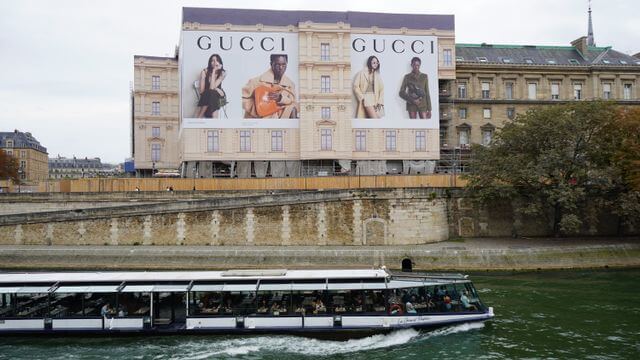
A billboard has only a few seconds to earn attention from the road. Artwork must fit the display, stay clear at distance, and meet production rules. Creative specifications set those rules before a file reaches print or a digital screen. This article explains what they cover and why each detail matters.
Specs Define the Correct Format
Creative specs list dimensions, scale, resolution, color mode, and file type. Billboard sizes and specs show how those details can vary by market and display type. A bulletin, poster, wall display, and digital board may each need a separate template. The correct format helps the artwork fill the space as planned.
A standard bulletin may measure 14 feet by 48 feet, while other units use different proportions. Artwork is often built at a reduced scale for production. Designers must preserve the same ratio from the template. A wrong ratio can stretch images or leave empty gaps.
File Rules Protect Image Quality
Print artwork needs enough resolution because the final output covers a large surface. Accepted files may include PDF, EPS, TIFF, or JPG, based on the format. Static units commonly use CMYK color for print. Digital displays usually require RGB color and exact pixel dimensions.
Low-quality images may look fine on a laptop but lose detail on a billboard. Small logos can also become soft after enlargement. Proper resolution keeps photographs, edges, and brand marks clear. A final file check can catch faults before production.
Safe Areas Keep Content Visible
Templates include a live area, bleed, and safety area for practical reasons. The live area marks the main visible face. Bleed extends artwork past the edge to prevent blank strips. The safety area keeps vital copy away from seams, pockets, and trim lines.
Key items that belong inside the safety area include:
- The main headline and offer
- Logos and brand names
- Phone numbers or web addresses
- Required legal copy
Space Supports Fast Recognition
Safe placement also improves visual order. Drivers need space to separate the headline, image, and brand mark. Crowded layouts take longer to read. Clear space may help improve recognition at road speed.
Display Type Sets the Requirements
Static billboards use printed material, so production details include scale, bleed, color mode, and installation needs. Digital boards use pixel-based artwork with no print bleed. Their files may support scheduled messages or several creative versions. Each format requires a separate final export.
| Display Type | Common File Needs | Key Creative Check |
| Static bulletin | Print-ready file, correct scale, bleed, and CMYK color | Confirm trim, safe area, and final proportions |
| Poster panel | Unit-specific template and print resolution | Keep text and logos inside the live area |
| Digital billboard | Exact pixel dimensions, RGB color, and accepted image format | Review legibility at road speed |
| Wall display | Custom dimensions and site-specific production details | Check seams, obstructions, and viewing distance |
| Special structure | Format guide for the exact unit | Confirm every custom panel before export |
Market guides and professional outdoor agencies can also help with custom panels and special structures. Unit-specific templates help reduce avoidable revisions.
Specs Support an Orderly Launch
Correct artwork can move through review, print, upload, and installation with fewer delays. Clear file names help teams identify the advertiser, version, dimensions, and date. Incomplete details may lead to questions or rejection. A complete submission creates a smoother handoff.
Specs also help designers judge how much content the space can hold. Outdoor ads usually benefit from short copy, bold type, strong contrast, and one clear idea. Technical accuracy cannot rescue a crowded message. Good design and correct setup must work together.
Billboard creative specs turn a design idea into a file that fits a real display. They protect scale, color, image quality, safe placement, and production accuracy. A careful review can prevent distortion, lost text, and launch delays. The final artwork can then appear in the form the designer intended.

